


On your own
It passes, and then it comes back.
You read something, feel better for an afternoon, and by Tuesday you are back where you started without knowing what set it off.
Andy asks what is going on, builds a 14-day plan around your answers, and gives you one small thing to practice each day. The next day it asks whether it helped, and the plan moves on. If you would rather read first, start with the Daily anxiety tracking guide.
Free to start. iPhone and Android.
How it works
It passes,
then it comes back.
Andy asks
what's behind it.
Say how it went,
in a few seconds.
One small thing,
every day.
Right now,
if you need it.
Forgot?
That counts too.
Two weeks,
in one line.
Andy
Log how it went. See what sets it off.
How Andy works
The loop is short on purpose. Nothing in it takes more than a couple of minutes.
A few questions about when it hits, how it shows up for you, and what is driving it at the moment.
Andy lays out 14 days built around those answers, with a starting score and a goal for day 14.
Each day gives you one idea in plain language and asks you to try it on your own situation.
You did it, you thought about it, or you forgot. Andy takes any of the three and carries on.
Your plan
A big content library only helps if you already know what you are looking for. Andy picks the starting point for you and puts the 14 days in order, so the only decision each morning is whether to open the app.
The self-check is a screening questionnaire, not a diagnosis.
Try the free anxiety testAlongside the plan
Andy still logs how the days go, because after a few weeks the pattern says something a single day cannot. It sits behind the plan.
A day in Andy
Days are short and they follow the same shape, so a tired evening is still enough to finish one.
One idea in plain language, the length of a short read rather than a course.
Andy asks you to use it on something happening in your own week.
The next day it asks what happened. Forgetting is a normal answer and does not reset anything.
The next step opens. You pick up where you left off instead of choosing again.
When you need something now
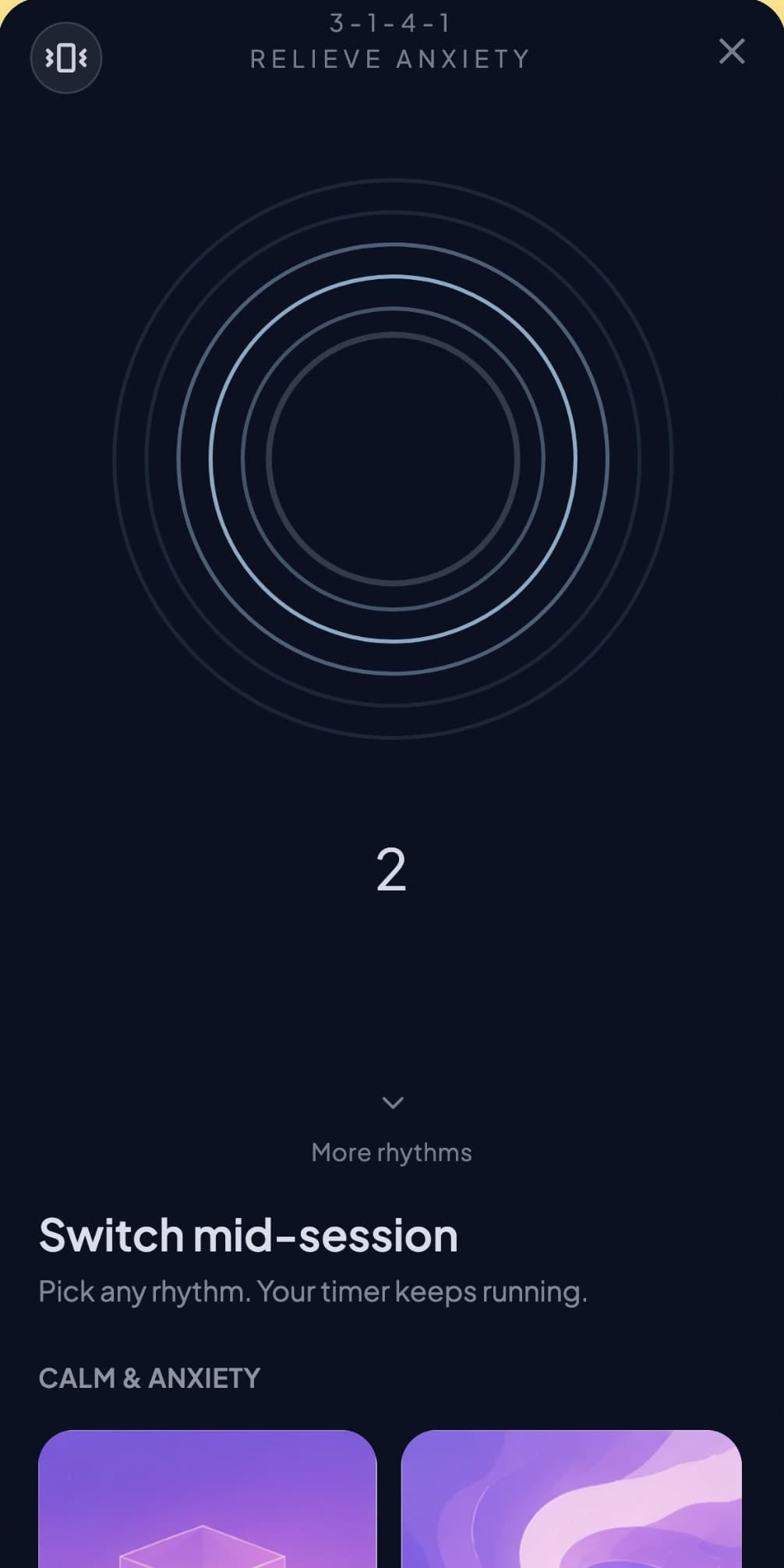
Breathing exercises with guided timing, ready without setup. Open them at 3am or in a car park before a meeting, whether or not you are partway through a plan.
Where Andy sits
Most anxious weeks are not a crisis and do not sort themselves out either. Andy is built for that middle ground.
On your own
You read something, feel better for an afternoon, and by Tuesday you are back where you started without knowing what set it off.
With Andy
Two minutes a day on your own situation. Enough structure that you are not starting from scratch every Monday.
Professional support
Andy is a self-guided tool. It does not replace therapy or crisis support.
Built around your situation
Andy starts from your own answers. These are the starting points people land on most often.
For when the day ends and your head keeps working.
For when you wake at 3am and cannot get back.
For when you rehearse a conversation before you have it.
For when the sums run all night and nothing gets decided.
For when a sensation feels like a warning.
For when nothing is wrong and you still feel it.
The rest of the app
Your plan is the main route through Andy. Everything below works with it or without it, and each card goes to a longer page about how that screen behaves.
Daily check-in on a five-point scale. Most entries take under a minute.
Read more about Daily Mood TrackingOptional tags and notes on top of the mood score when you want more context.
Read more about Feelings and NotesChronological list of moods, tags, and notes you logged before.
Read more about Timeline HistoryBar-style summaries of how moods stacked up across weeks and months.
Read more about Weekly and Monthly AnalyticsShows how many days in a row you checked in. Resets when you miss a day.
Read more about Streak CounterNotification reminders inside a time range you choose. Easy to turn off.
Read more about Smart RemindersExport a shareable image for streaks or progress. You press share yourself.
Read more about Shareable Progress CardsFourteen days in order, about two minutes each, written from your own answers.
Read more about The 14-Day PlanSeven questions, about a minute, retaken on day 14 so you can compare.
Read more about Anxiety Check-In (GAD-7)Nine guided rhythms, sorted by what you need right now. All free.
Read more about Breathing ExercisesSleep, steps, daylight and heart rate next to your mood. Read on the phone, never uploaded.
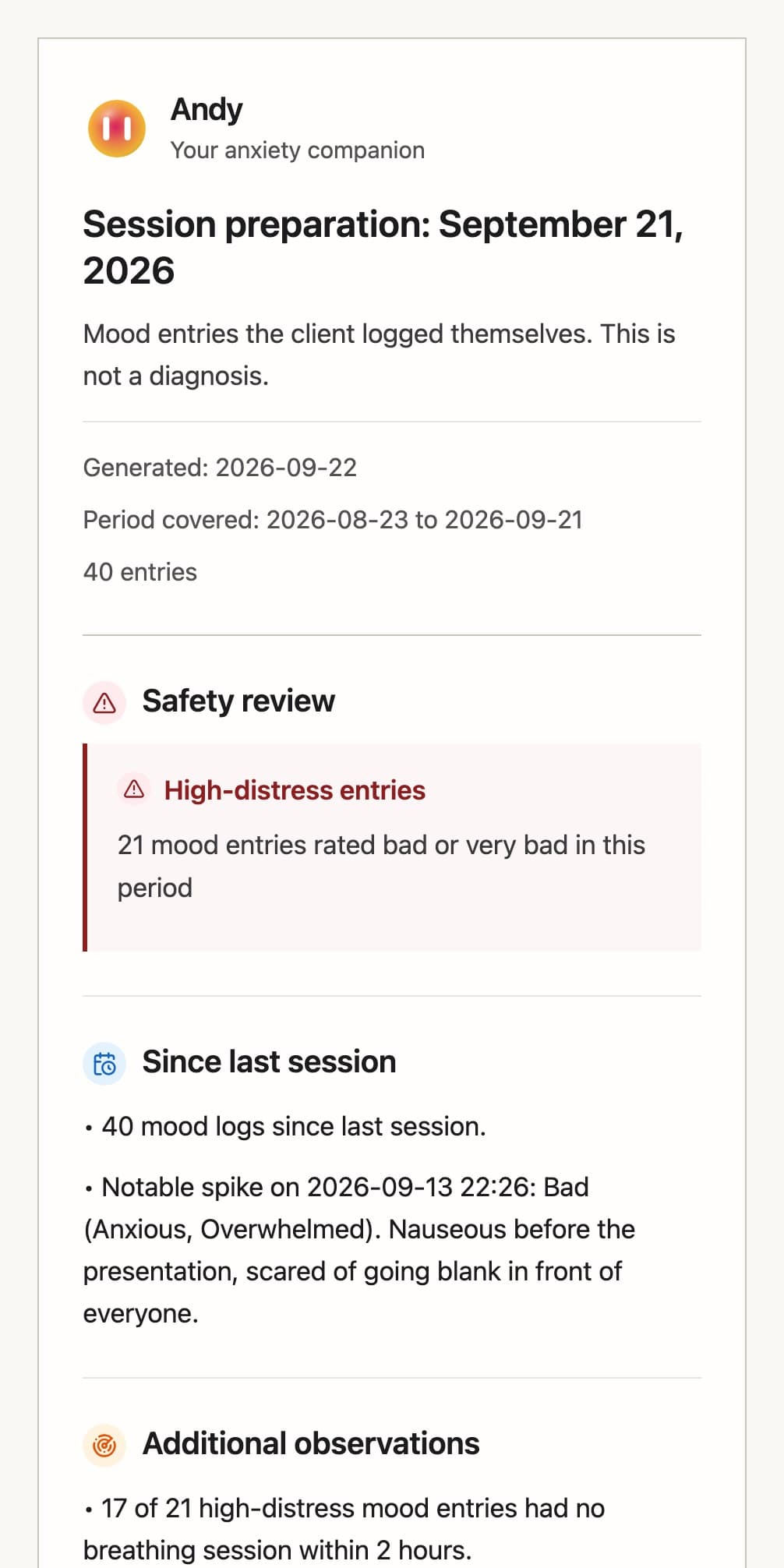
Read more about Apple HealthSend a report to your therapist from the app, or download it. Free.
Read more about Therapy Report and ExportFree tests
Quick self-tests based on trusted screening scales. Answer a few questions, get your score instantly, then track how it moves in Andy. No signup.
The self-check is a screening questionnaire, not a diagnosis.
Anxiety guides
19 plain-language guides to anxiety symptoms and the moments that set them off.
Explore
Dig into the part that matches what you came for. Each hub goes deeper on the app, the science, and the daily habit.
Privacy
Andy asks you to be honest with it. This is what happens to what you write.
Andy is a self-guided tool for everyday stress and anxiety. It is not therapy, diagnosis, or crisis support. If you are in immediate danger, contact local emergency services or a clinician you know.
For professionals
Answer a few questions, get your first 14 days, and do two minutes tomorrow.